

On a busy morning every chat looks the same in the list. Priority and the Awaiting reply queue, two automations of Decisions, read what each customer wrote and show you first the ones that need you: the urgent chats, and the customers who are waiting for an answer. Neither of them changes a chat or writes to anyone.
Turn them on
- In your dashboard, go into your WhatsApp number and click Decisions.
- Under Sort the inbox, set Priority to Turned on.
- Under Help the agent, set Awaiting reply queue to Turned on. It needs Priority on: it lists what Priority reads.
Both start with the next message of each chat.
The Urgent mark
With Priority on, the chat list marks a chat Urgent when the customer is waiting for you and what they wrote reads as urgent, like an order that arrived broken and is needed tomorrow.
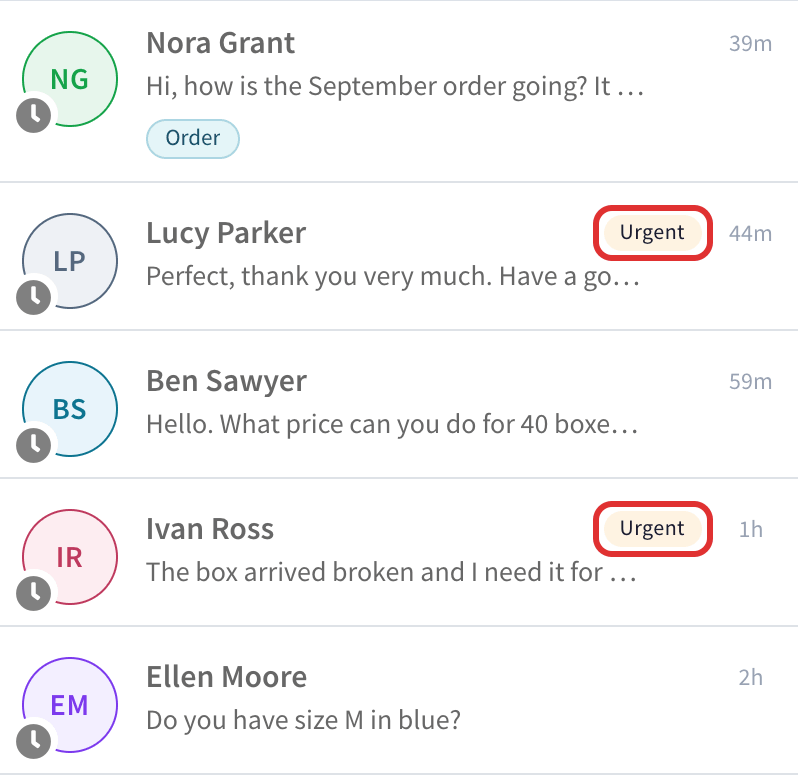
The mark goes away as soon as someone replies, assigns the chat, resolves it or applies one of the autopilot's suggestions in it. Hover over the chat to see when the autopilot read it.
The Awaiting reply filter
With the Awaiting reply queue on, the chat filters have Awaiting reply, under Chats, with the number of chats in it. It shows only the chats where the customer expects something from you, most urgent first. A thank you or a goodbye does not count.
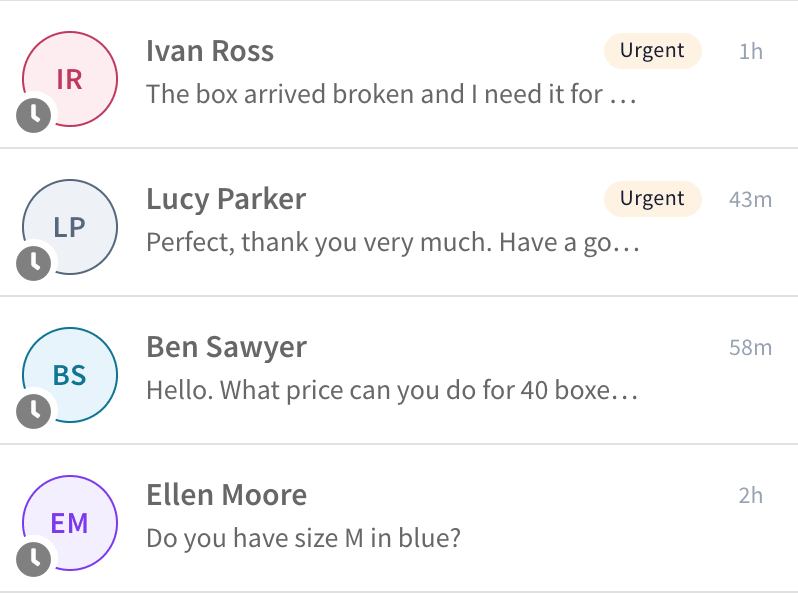
A good routine for the team: start the day on Awaiting reply, and work down the list until it is empty.
Questions
Does it change the order of my inbox? No. Your inbox keeps its order. Only the Awaiting reply filter puts the most urgent first.
Does Priority use the AI allowance? Yes, a little: it reads each new customer message. The Awaiting reply queue uses none, it only lists what Priority already read. See the AI allowance.
A chat is in Awaiting reply, but we already answered. It leaves the list when someone on your team replies in the chat, or when the chat is resolved. Assigning it is not enough: the customer is still waiting. If you answered by phone or email, resolve the chat.
I do not see the marks on my phone. The marks and the filter are in the web app on a computer.